

+963995408915 info@codextsoft.com Working hours 11AM–7PM WhatsApp
Available Version 1.4.4 Windows 10/11 (64-bit)

Khadamati Pro 2026

Khadamati Pro 2026

One smart ledger for your customers, services, payments and tasks — with WhatsApp invoices and reminders in a click.

Khadamati Pro 2026
App screenshots

See the app

A quick look inside — 11 screenshots available

View all screenshots (11)
About the app

What does Khadamati Pro 2026 do?

Picture starting your morning with no scattered ledgers and no lost papers: open Khadamati Pro and see due subscriptions and pending tasks in front of you. Click any customer to see their full statement — opening balance, transactions and debts. Record a service visit or collect a payment right away, and before sunset send the receipt voucher or PDF statement to the customer on WhatsApp in one click.

Khadamati Pro is a complete desktop system for Windows, built to be the heart of a service business:

• Organize: customers, a catalog of services and subscriptions, field visits, plus tasks and reminders on one dashboard.
• Account: financial entries and statements, cash desk and treasury, collector commissions, returns, partners and profit sharing, and print-ready reports.
• Connect: WhatsApp templates, receipt vouchers and PDF invoices with a unified letterhead, and an in-app news center.

100% local • Works without internet • Your data stays on your device • No cloud subscription • A full 30-day trial with no credit card, then read-only mode that preserves your data.


The problem it solves

Many service providers track their customers, services and payments across scattered notebooks and chat messages — dues get lost, visits slip, and accounts become confusing at review time. Khadamati Pro brings customers, services, subscriptions, financial entries and tasks into one organized ledger that works offline — so you always know who owes you and what you owe, clearly and at any moment.

Who is this app for?

Service providers who manage customers, subscriptions and recurring dues: maintenance and delivery offices, home-services teams, professional offices, and "service supermarkets" with periodic payments — from a one-person business to a full team.

Key features

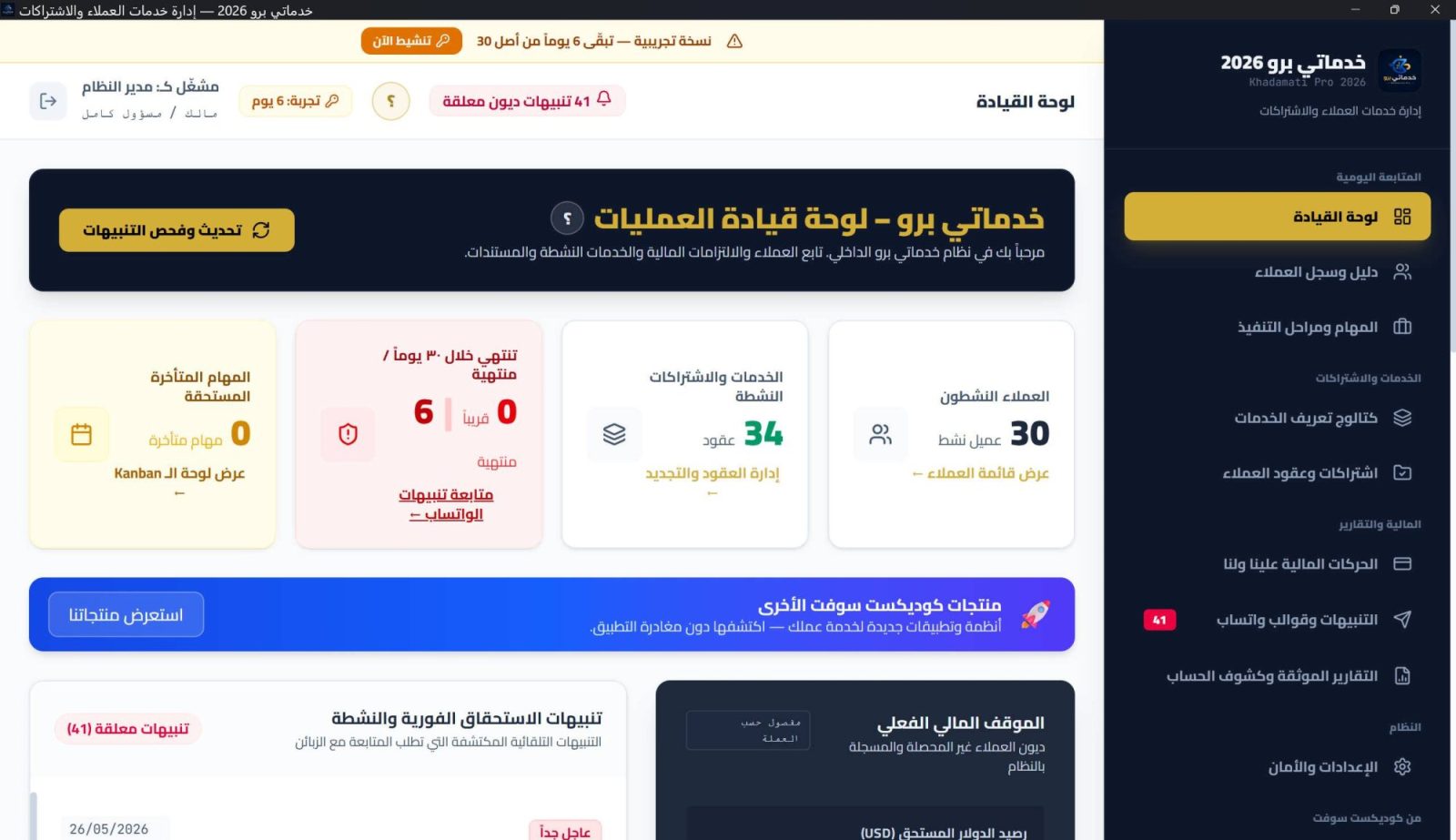
  • Instant dashboard — a live summary when you open the app: due subscriptions, pending tasks, and a quick view of cash and finances.
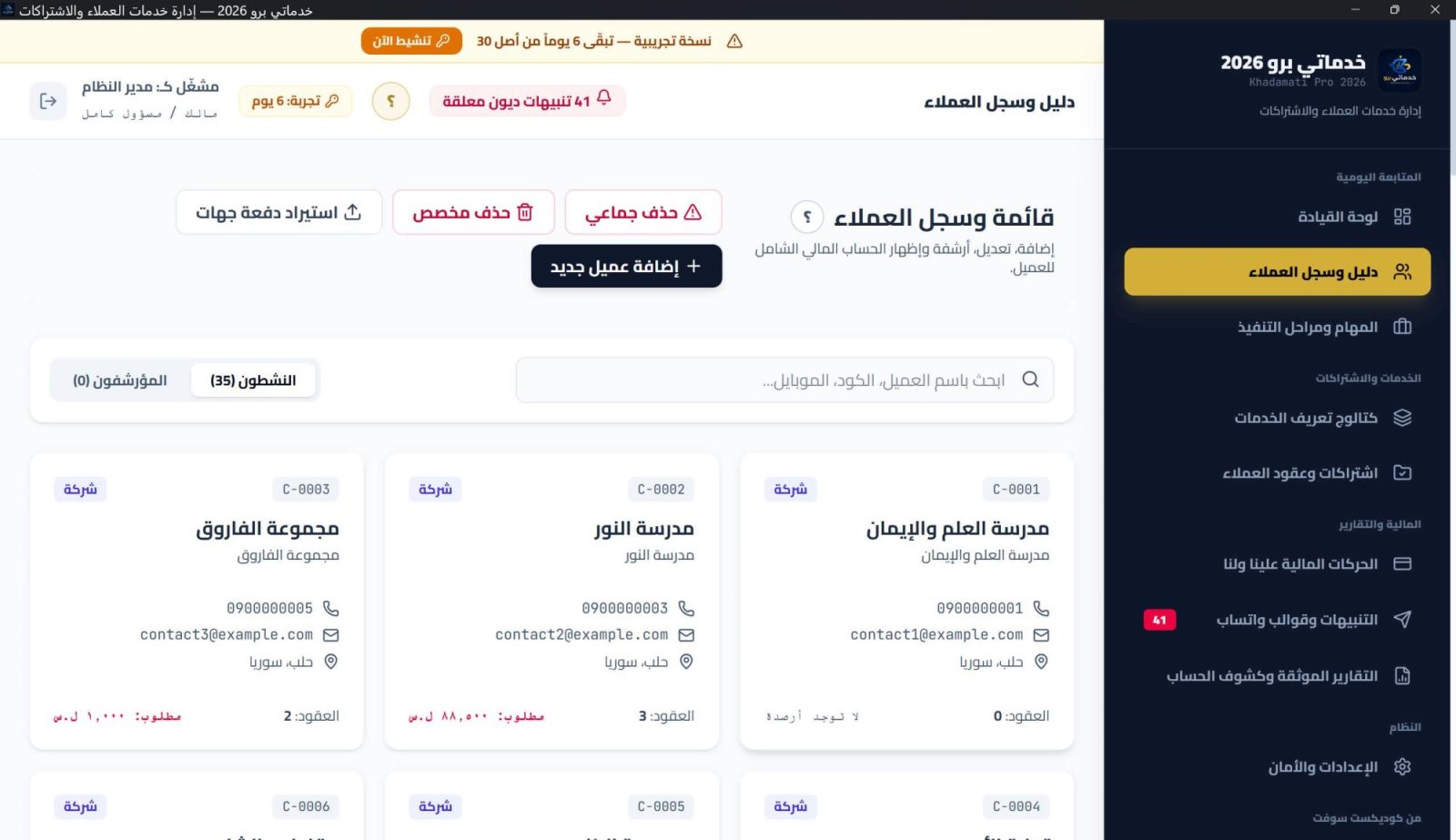
  • Customer management — a full directory (companies and individuals) with contact details and WhatsApp, and a profile per customer showing services, tasks and finances.
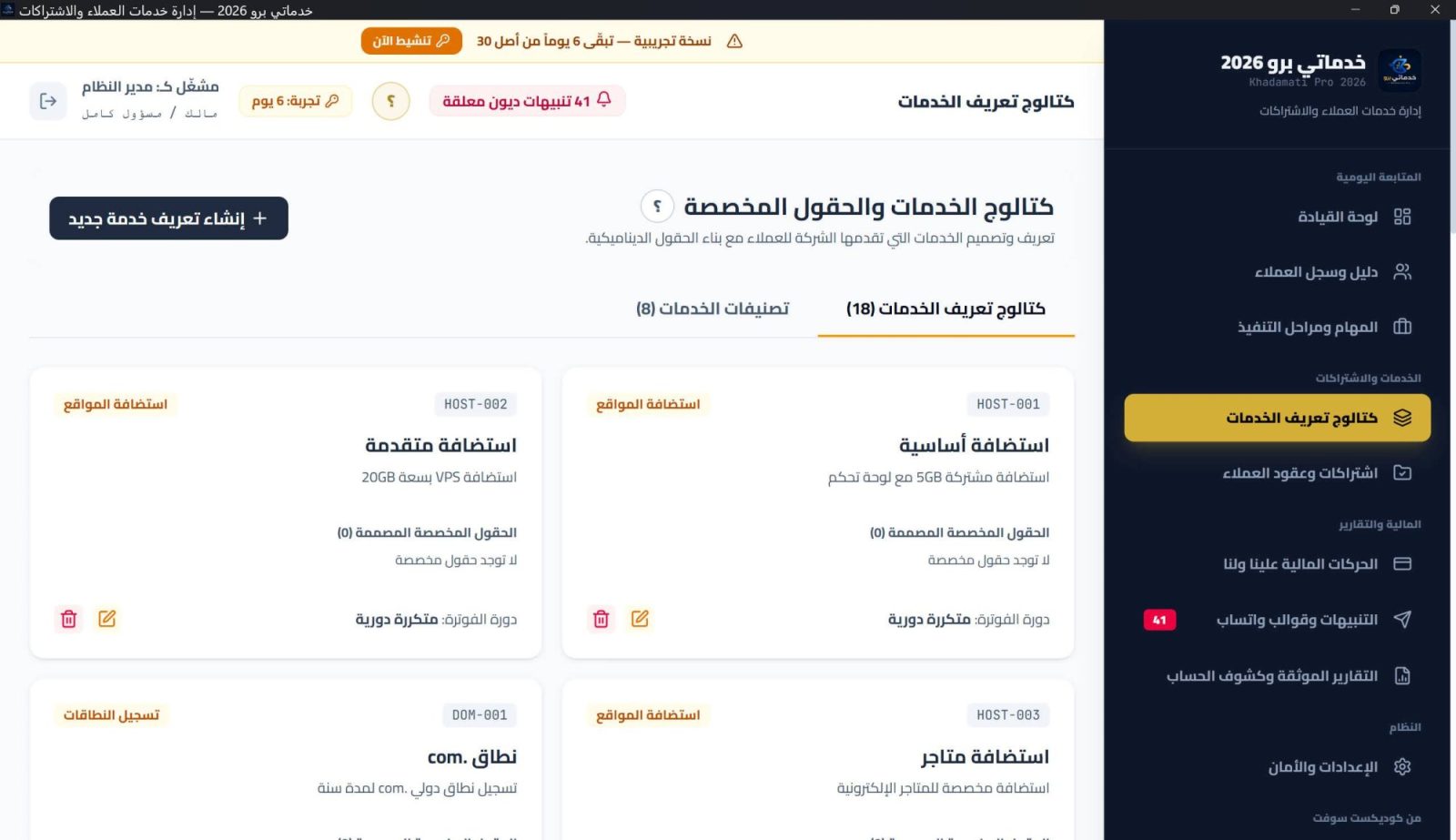
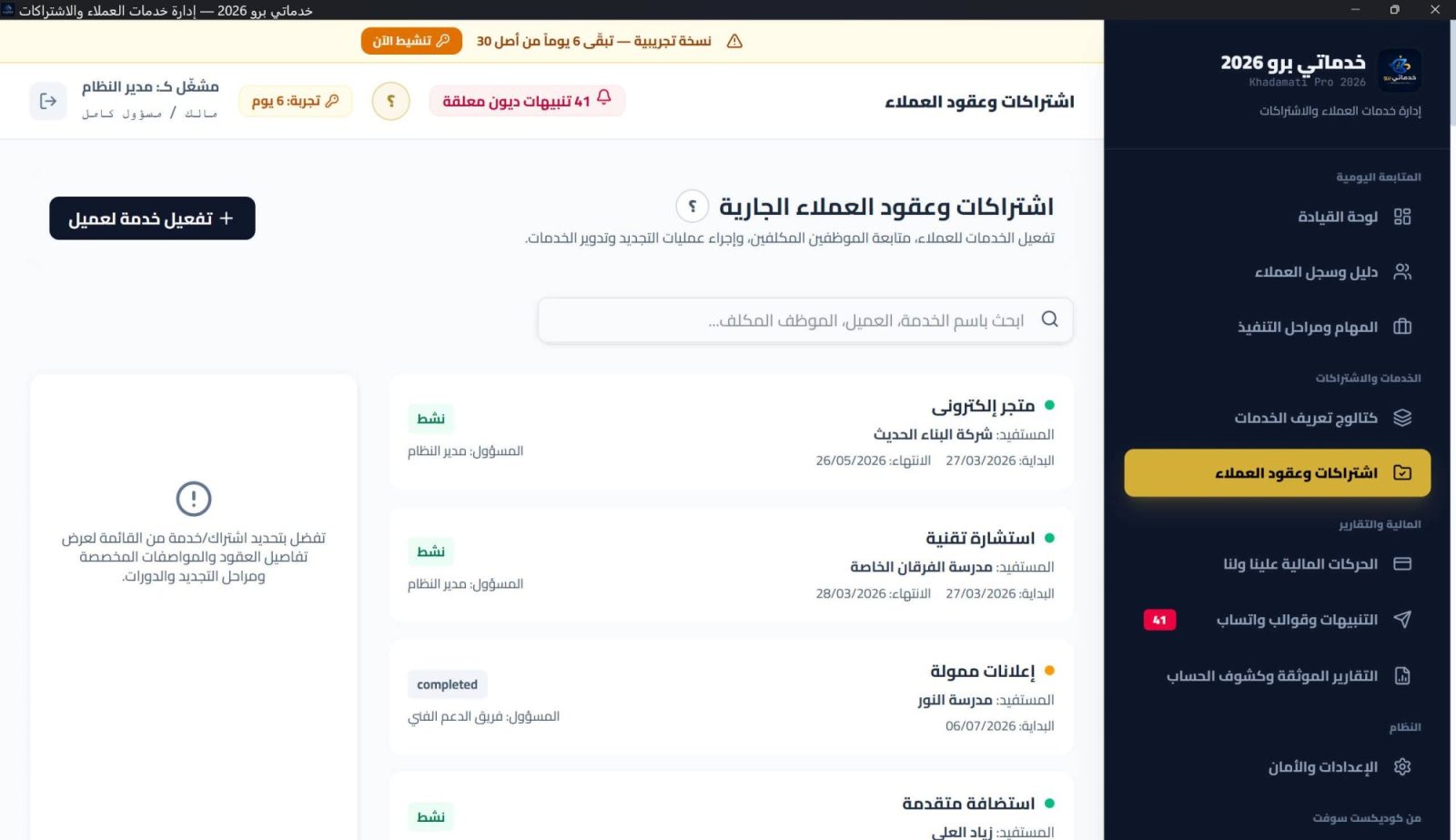
  • Services & subscriptions — a catalog of services and subscriptions, service cycles and field visits, with full history preserved.
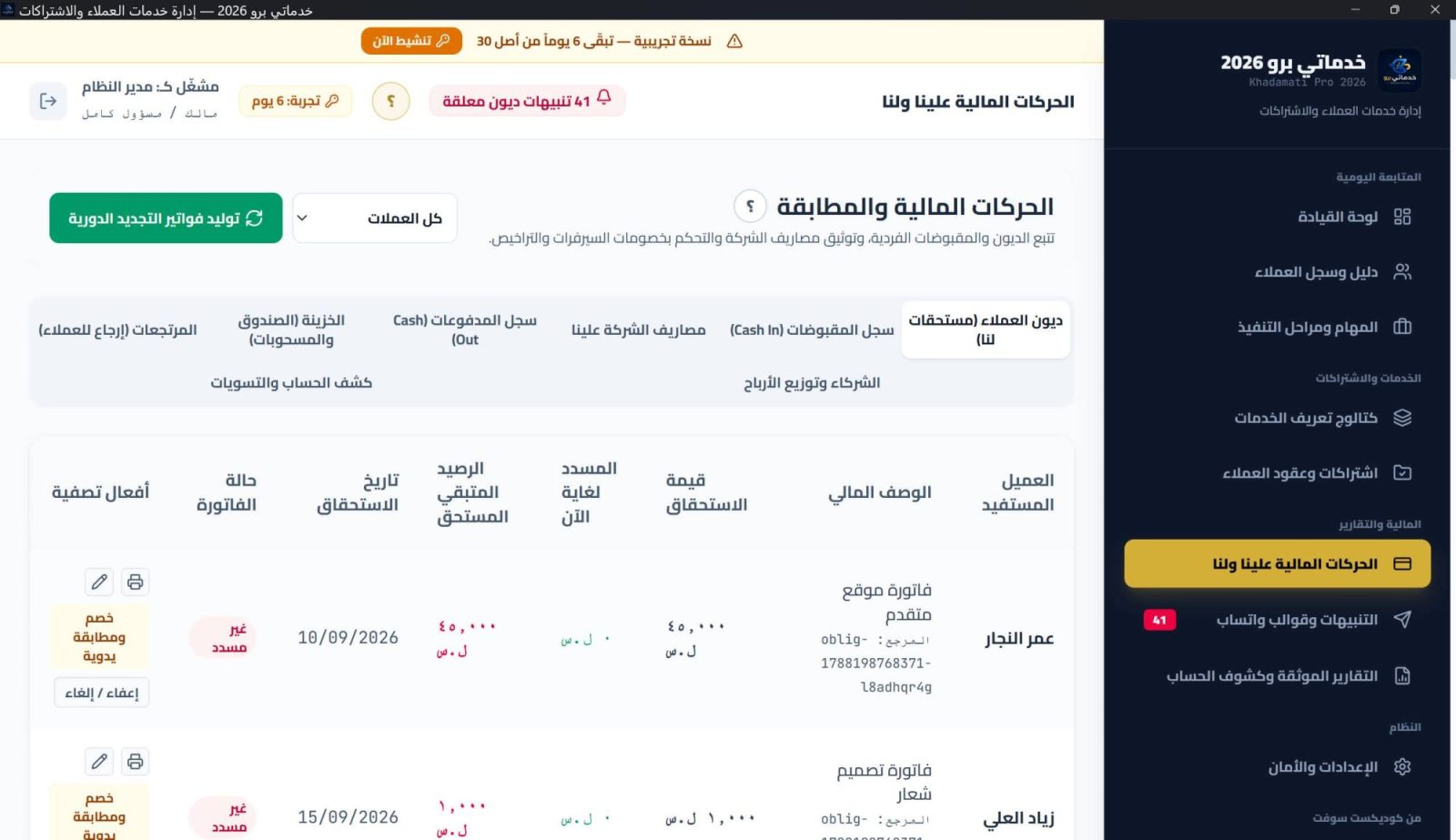
  • Financial entries & statements — opening balance, transactions, debt direction and adjustments, plus a clear statement for every customer.
  • Cash desk & treasury — cash summary and owner/partner withdrawals recorded and organized.
  • Multiple receiving methods — cash, transfer or Sham Cash — each manageable from settings.
  • Collector commission — accurate commission calculation on collected amounts, within the accounting cycle.
  • Returns — cash refunds and credit notes recorded in the books.
  • Partners & profit sharing — manage partners and distribute profits on an accrual basis.
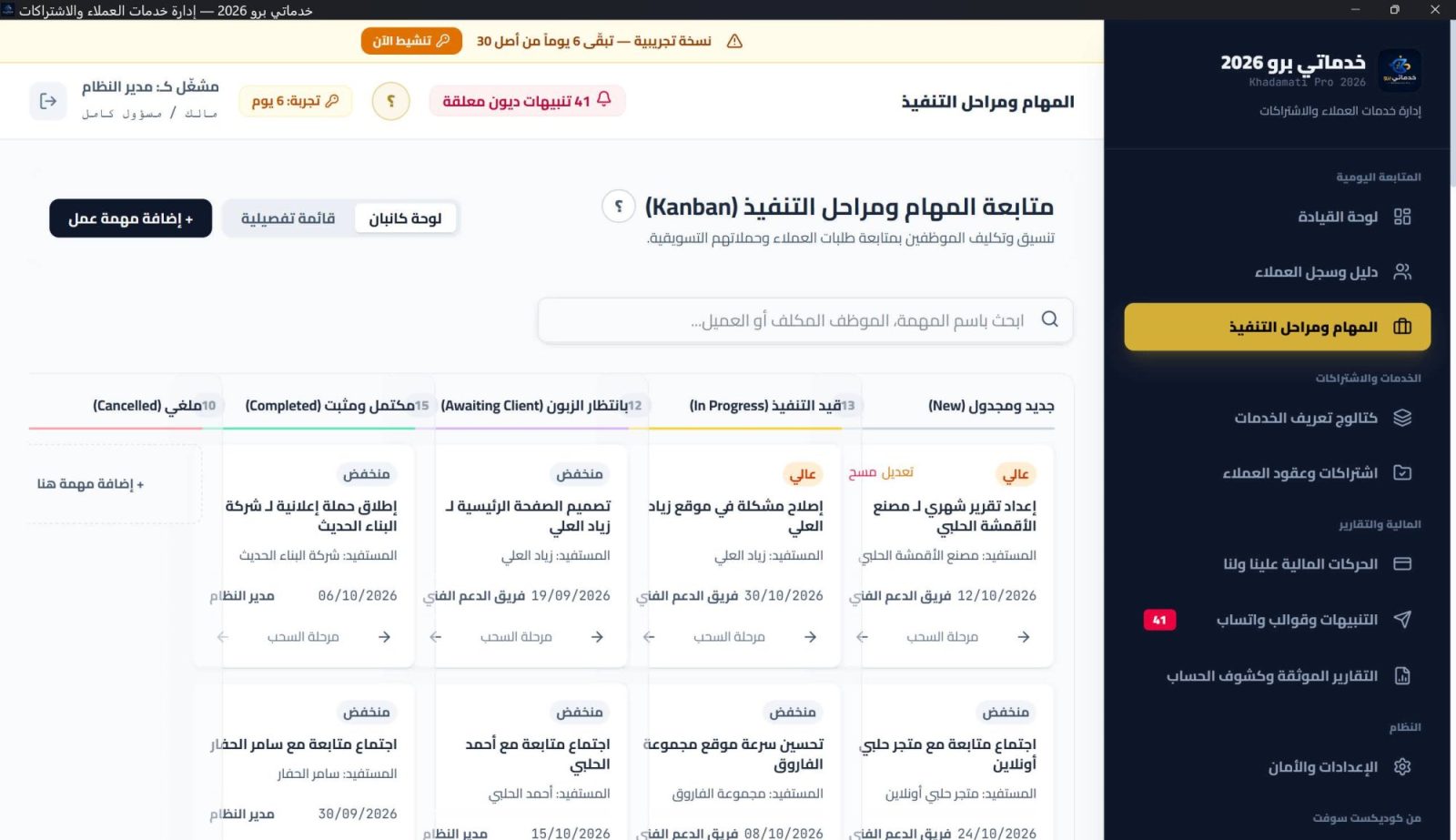
  • Tasks & alerts — today's tasks, overdue tracking and task states (new / in progress / waiting on customer / done), plus follow-up on expiring services and upcoming dues.
  • Professional reports & printing — A4 receipt vouchers, invoices and customer files with a unified letterhead and print preview.
  • Multi-currency & exchange rates — work in multiple currencies with fully isolated books per currency.
  • WhatsApp & documents in one click — send receipt vouchers, PDF statements or due reminders via WhatsApp with ready templates.
  • News center & products window — Codext news and releases reach you inside the app.
  • Interactive help — a built-in guide with clickable links and images explaining every section, working offline (new in 1.4.4).
  • Local backup & isolated restore — automatic backups on launch and exit, export/import, and integrity verification.
  • Users & permissions — multi-user PIN login, role-based permissions and an audit log.
  • Signed auto-update — digitally signed updates installed in-app, never touching your data or activation.
  • One treasury equation — Cash on hand = receipts − payments − withdrawals − cash refunds, with a full withdrawal log.
  • Two separate refund types — A cash refund that leaves the drawer, or a credit note that reduces the client balance with no cash movement.
  • Partners & profit sharing — Share ratios and period-profit distribution on accrual basis — cash or accrued — with every distribution reversible.
  • Chronological client statement — Opening balance, then dues, payments, refunds and settlements with running balance — reversible and printable A4.
  • Frozen Syrian-equivalent — Each foreign-currency transaction locks its rate at that moment, keeping unified reports accurate over time.
  • Official print suite — A receipt per payment, an invoice per due, and a full client file — with your header, an official badge and signature fields.
  • Recurring billing & renewal — Activating a service generates its first cycle and invoice automatically; renewals are one click.
  • Alerts & WhatsApp templates — Custom rules for due debts and expiry, with WhatsApp messages generated from your templates, sent and logged.
  • Three roles & PIN — Owner, manager and reception with editable permissions, a PIN per user and signed device-bound recovery.
  • Automatic backup & integrity — A SQLite backup on every start and exit, an archive with integrity checks and restore, plus JSON export for migration.

Requirements

Windows 10 or 11 (64-bit) · WebView2 runtime (preinstalled on Windows 11 and most Windows 10 systems; the installer fetches it if missing) · 1024×700 minimum resolution · runs offline with no server and no account.

Licensing

Paid — a full 30-day trial, then a signed licence for your device that works offline.

10 Integrated sections Client to statement
8 Financial tabs Treasury · refunds · partners · settlement
3 Roles Owner · manager · reception
2 Refund types Cash · credit note
Why it fits

Four mechanics behind the numbers

Khadamati Pro is built for service businesses — hosting, digital marketing, recurring courses — where every client has a ledger, a contract and a due date.

One treasury equation

Cash on hand = receipts − payments − withdrawals − cash refunds, with a full withdrawal log.
Two refund types, never mixed

A cash refund leaves the drawer; a credit note reduces the client balance with no cash movement.

Profit on accrual

Distribute the period profit (revenue − expenses) among partners as cash or accrual — reversible.

Print-ready documents

A receipt per payment, an invoice per due, and an A4 chronology statement with signature fields.

Inside the box

Ten sections — one client ledger

Numbering matches the app sidebar and its help pages.

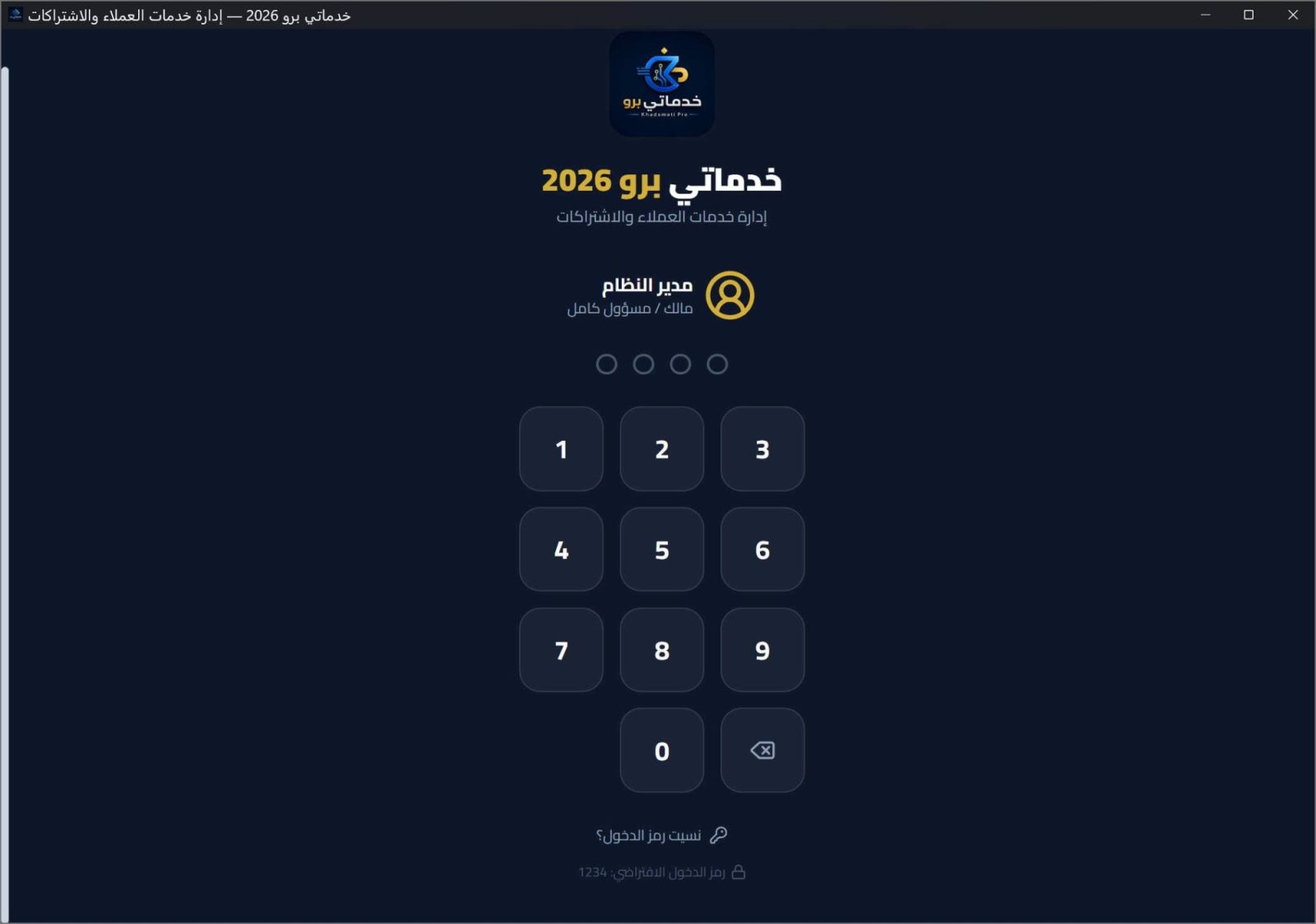
00Login & first run
01Dashboard
02Clients & history
03Tasks & milestones
04Service catalog
05Subscriptions & contracts
06Financial movements (8 tabs)
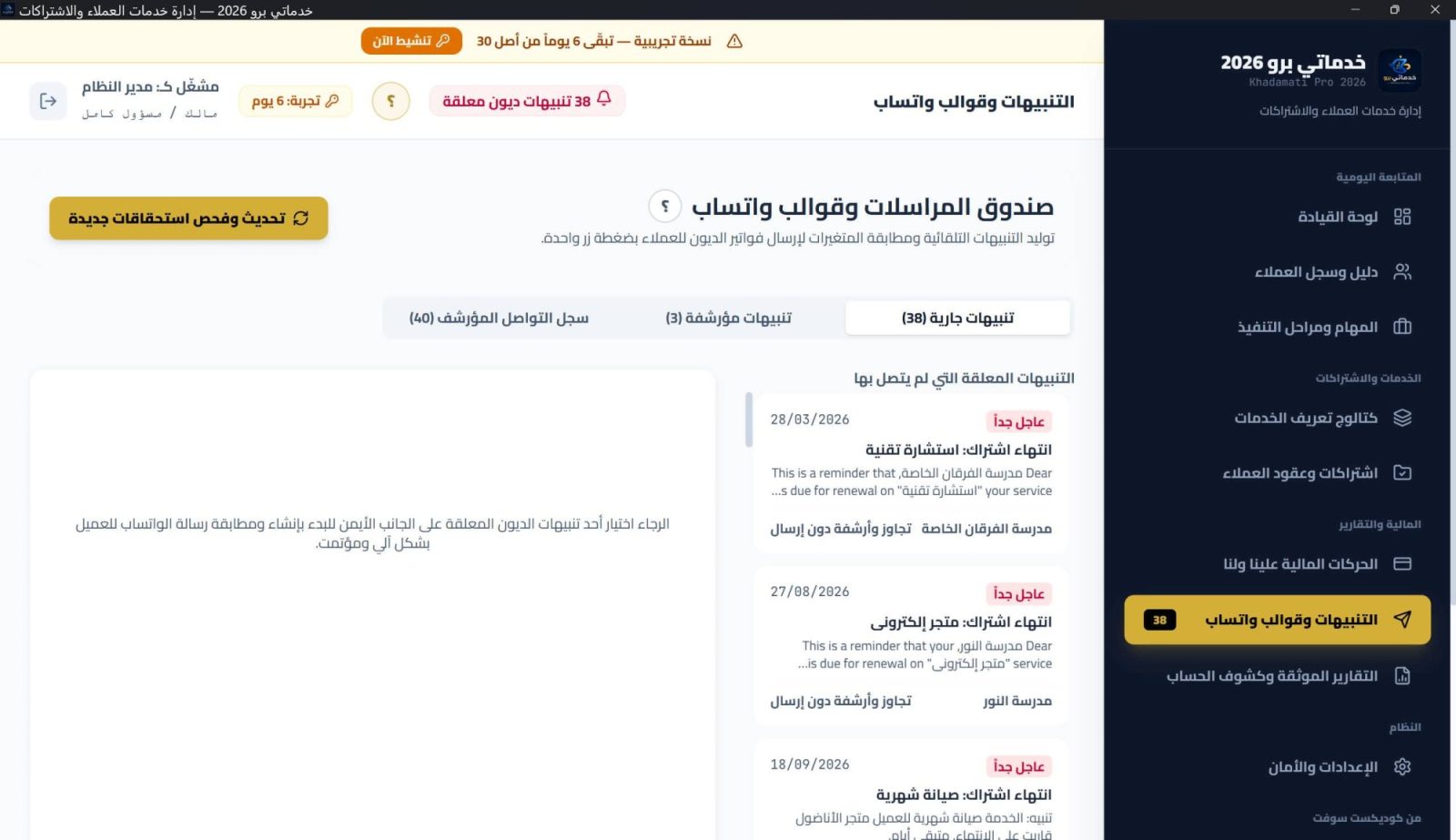
07Alerts & WhatsApp templates
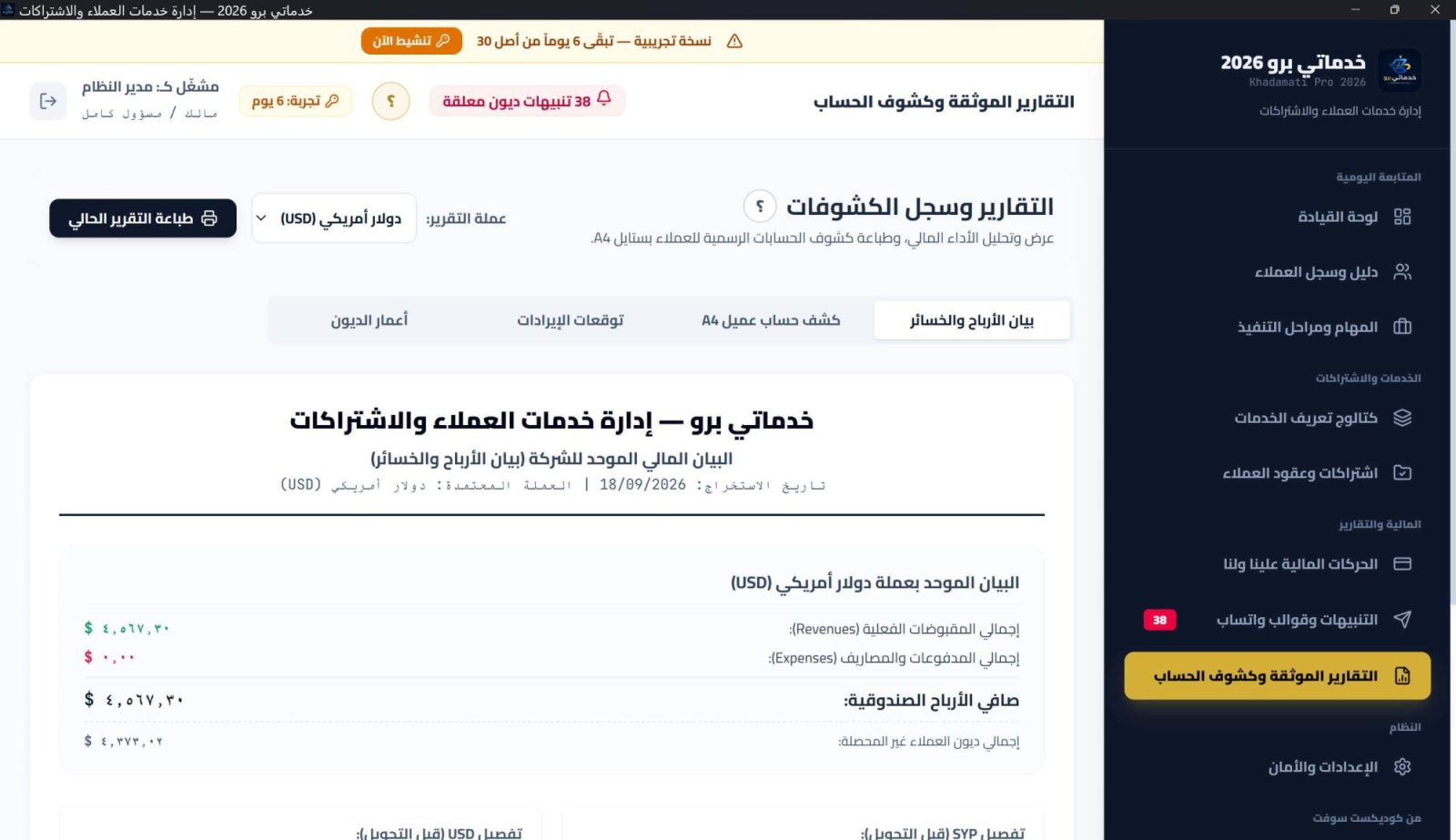
08Documented reports
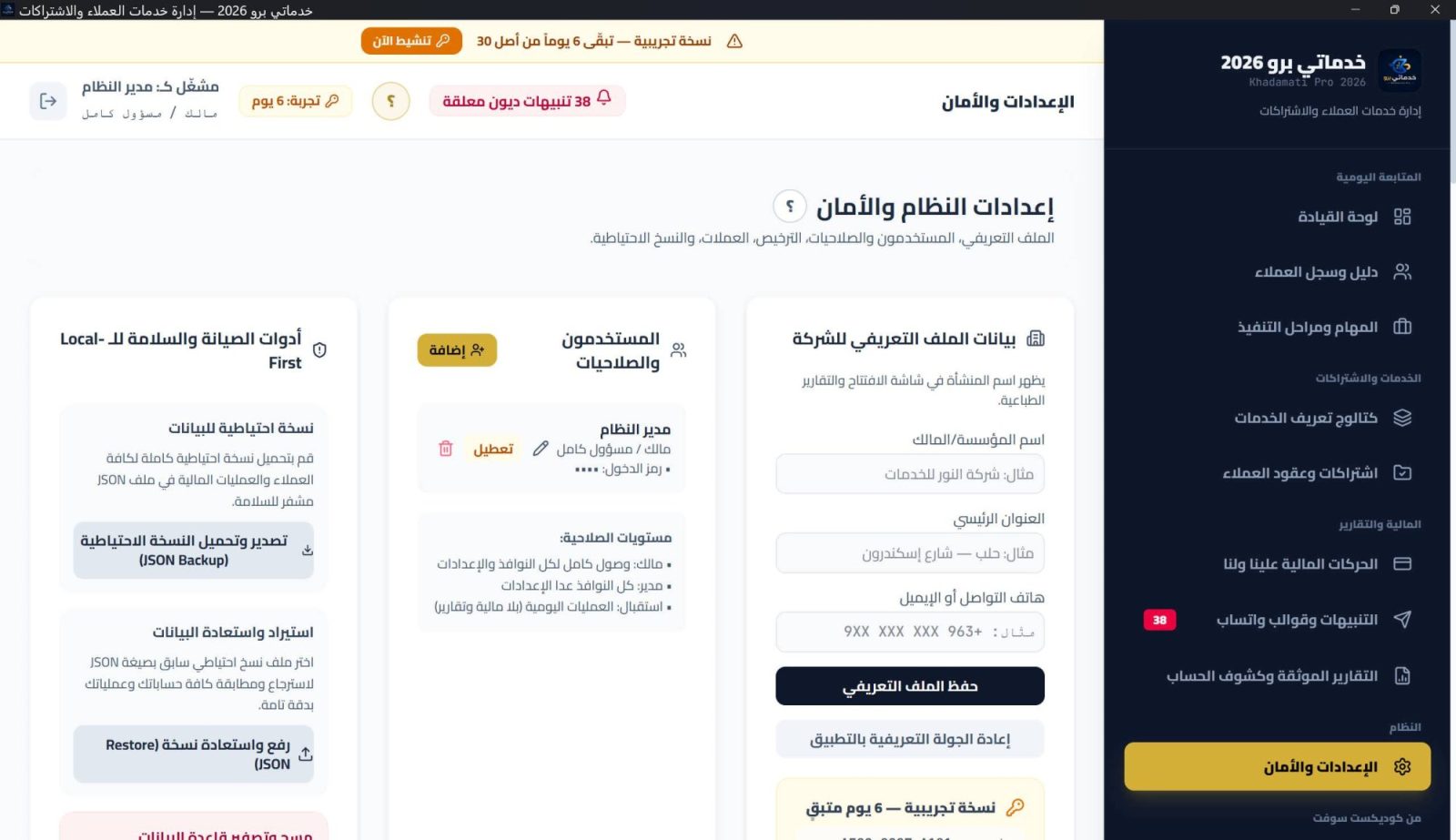
09Settings & security
App screenshots

See the app

11 screenshots

Version history

Versions & updates

v1.4.4

02 Oct 2026

Khadamati Pro — Release 1.4.4

New interactive help system

  • Clickable links between guide sections, screen-linked illustrations, and a “?” button that opens the section you are standing in.

This release includes the full accounting upgrade

  • Unified treasury: cash on hand = receipts − payments − withdrawals − cash refunds, with a withdrawal log.
  • Two refund types: a cash refund from the drawer, or a credit note that reduces the client balance with no cash movement.
  • Partners and profit distribution on accrual basis, with reversible distributions.
  • Chronological client statement with opening balance, settlements and A4 printing.
  • Frozen Syrian equivalent recorded at each multi-currency transaction.

General improvements

  • Higher stability and faster response in heavy screens.
Download
Pricing Plans

Choose Your Plan

30-Day Trial

Free

30 days to try the application before you buy — no commitment.

Start Free Trial

Lifetime License

$150

One payment · no renewal and no expiry date.

Buy Now
FAQ

Frequently asked questions about the app

Service businesses with recurring work: hosting and domains, digital marketing, courses and subscriptions — where every client has a contract, a cycle and a due invoice.
Fully local on your machine in a SQLite database that never leaves it, with automatic backups on start and exit and a restorable archive.
Each transaction records its rate at that moment (a frozen Syrian equivalent), so unified reports stay accurate regardless of later rate changes.
Activating a service creates the first cycle and its invoice automatically; renewals are one click, with outstanding balances tracked per client and currency.
Cash on hand = receipts − payments − withdrawals − cash refunds. Every withdrawal (owner or partner) is logged with its reason.
Two types: a cash refund that leaves the drawer and is logged, or a credit note that reduces the client balance with no cash movement.
Yes: share ratios are recorded and period profit distributed on accrual basis — cash or accrued — with every distribution reversible.
An official receipt per payment, an invoice per due, and an A4 chronological statement with signature fields — all with your header.
Three editable roles (owner/manager/reception), a PIN per user, and signed device-bound PIN recovery with no back door.
Yes: JSON export for migration, plus a backup archive with integrity checks and restore — no records lost.

Ready to get started?

Apps and their updates are managed on ProgixSoft — go to the app page to continue.

Download Free Trial
Offer
33% Off Your Professional Single-Language Dynamic Website Ends in:
20% Off the Lifetime License of Currently Available Paid Apps — New Launch Celebration Ends in:
30% Off Your Professional Dynamic Bilingual Website Ends in:
Learn more
Call WhatsApp